
PetPage
AllyDVMMedical
4.8149.00 Reviews
- Version
- 2.0.23
- Installs
- 100.00K
- Age Rating
- Everyone
Screenshots
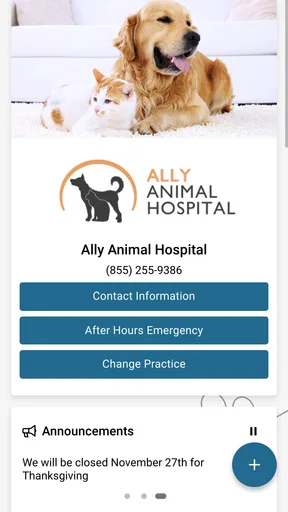
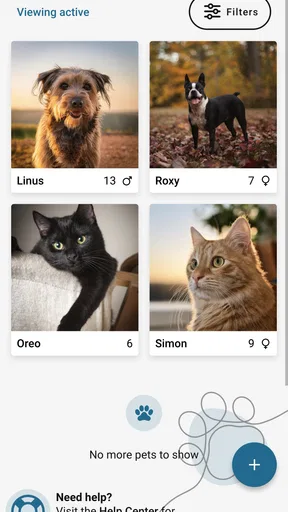
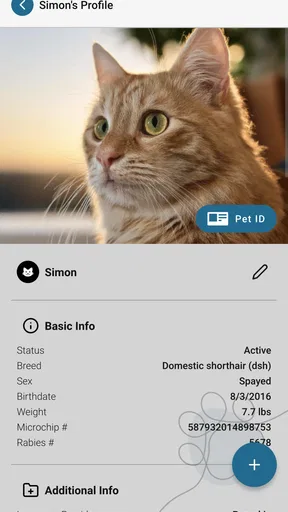
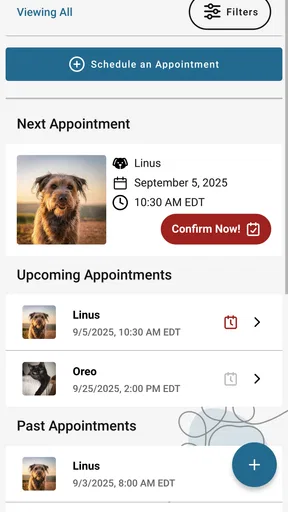
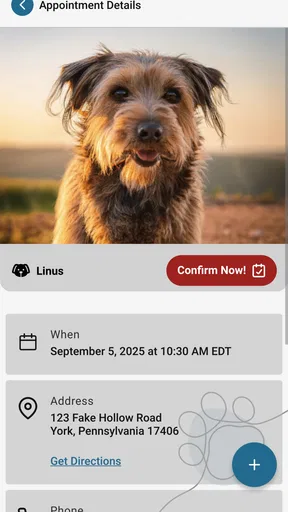
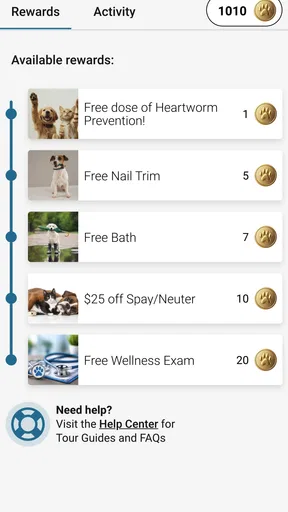
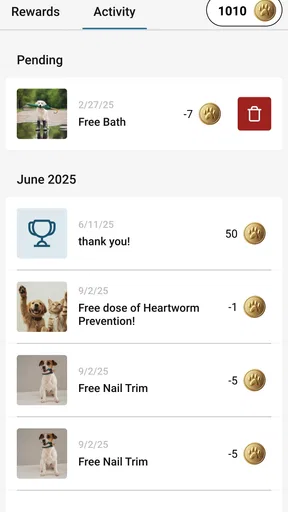
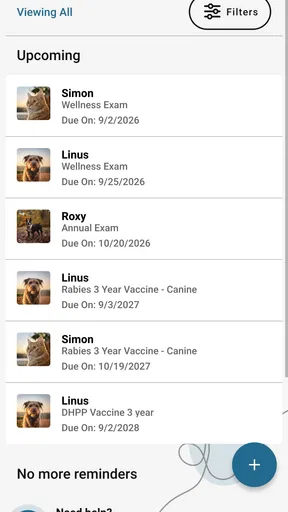
Our Review of PetPage
 Analysis by Appyee
Managing pet care often means switching between messages, phone calls, vaccination papers, and whatever details happen to be saved in your phone. PetPage takes a more focused approach: it puts your pet’s information and veterinary contact tasks into one mobile app. I found the idea most useful when I needed a quick reference rather than another general-purpose notes app, especially for appointment requests and sharing a pet identification profile.
This is a free medical app from AllyDVM, aimed at everyday pet owners rather than veterinary professionals. It is available to an Everyone audience, runs on Android 7.0 or later, and has reached over 100 thousand installs. Its average rating sits at 4.8 from around 1.3 thousand ratings, which suggests that the basic concept is landing well with the people who use it.
My overall impression is that PetPage works best as a connected companion to your veterinary relationship. It is not trying to replace a clinic, diagnose an animal, or become a complete emergency-care manual. Its value comes from making selected pet details easier to reach and making a few common interactions less scattered. That distinction matters, because the app feels convenient when the clinic side of the experience is available, but less useful if you expect a fully independent pet-management system.
How PetPage fits into real pet-care routines
I find PetPage easiest to judge by following a normal care task from the moment a question comes up to the point when another person or the clinic needs to act. That makes its role clearer than looking at its features in isolation: it is a focused way to keep pet information and routine veterinary communication together. The next section looks at how that can fit into an ordinary week without asking the app to do more than it is meant to.
A practical home for the details you repeatedly need
The first benefit is simple: PetPage gives pet information a dedicated place. Instead of searching through old emails or scrolling through unrelated notes, I can open a pet-focused profile when I need to check or share information. That is particularly helpful in households with more than one animal, where mixing up names, records, or appointment details is an easy mistake.
The Pet ID feature is more useful than it may sound at first. A shareable identity record can save time when another person is helping with care, when a sitter needs the right information, or when a clinic conversation requires a quick way to identify the animal. I would still treat it as a convenience layer, not as a substitute for keeping essential medical information available through the veterinary practice itself.
One of the less obvious strengths is the reduction of repeated explanations. If several people look after the same cat or dog, a central profile can make handoffs cleaner. Rather than sending a fresh message every time someone asks which pet has an appointment, I can point them toward the relevant information. That is a small workflow improvement, but it becomes meaningful when care is shared between family members, sitters, and relatives.
Appointment requests are where connectivity matters most
Requesting an appointment through the app is convenient because it keeps the next action close to the pet’s information. In a typical situation, I might notice that a routine visit is due while away from home, open the app, review the relevant pet profile, and send the request without first looking for the clinic’s phone number or opening a separate browser page.
That convenience depends on communication with the clinic and on a working internet connection. PetPage should therefore be viewed as a bridge to veterinary care, not as a replacement for direct contact. If an animal is seriously ill, injured, or showing worrying symptoms, I would contact the veterinary practice or an emergency service directly rather than relying on an appointment request inside an app.
There is also a useful trade-off here. A request form can be less disruptive than a phone call, particularly when I am at work, travelling, or caring for children. On the other hand, a request is not the same thing as an immediate confirmed consultation. I would check for the clinic’s response and keep track of urgent timing myself instead of assuming that submitting the request completes the booking.
A realistic mobile scenario
Imagine leaving your dog with a family member for the afternoon while you are travelling across town. The sitter needs the dog’s identity details and wants to ask the clinic for a future appointment. PetPage can make that exchange more orderly: the sitter can access the shared pet information, and the appointment request can be started from the same general place.
The important advantage is not that the app performs some complicated medical task. It is that it reduces the number of separate channels involved. Without it, the same handoff might involve a screenshot, a text message, a saved contact, and a later phone call. With it, the pet profile and the request workflow are closer together. That is the kind of modest, practical improvement I would expect to use repeatedly.
Where it compares well with ordinary alternatives
Compared with a notes app, PetPage has a clearer pet-care purpose and a more direct connection to appointment requests and Pet ID sharing. A notes app may be more flexible for writing long observations, building custom checklists, or storing unrelated household information, but it leaves more of the veterinary workflow to the user.
Compared with a clinic’s ordinary phone process, the app can feel more convenient for non-urgent requests. It gives me a mobile route that does not require waiting on a call, and it keeps the request associated with the pet rather than buried in a general conversation history. The phone remains better when the situation is urgent, complicated, or likely to require back-and-forth clarification.
Compared with a broad pet-record organizer, PetPage feels narrower and more focused. That can be an advantage for someone who wants a straightforward connection to veterinary information. It may be less satisfying for an owner looking for an extensive diary, feeding planner, training log, medication scheduler, or detailed analytics. I would choose it for access and communication first, not for elaborate personal tracking.
What happens when the connection is unreliable
Because key actions involve accessing information and communicating with a veterinary service, connectivity shapes the experience. I would not make PetPage my only source for critical instructions while travelling, hiking, or entering a place with unreliable reception. Before leaving, I would make sure I know how to contact the clinic through another method and keep urgent information available in a form I can reach without depending on a live request.
This is also where a little preparation pays off. If I am handing a pet to someone else, I would share the Pet ID and explain what to do if the app cannot be reached at that moment. The app can streamline the normal path, but a responsible care plan should include a backup phone number and clear instructions. That is not a criticism unique to PetPage; it is a sensible boundary for any connected medical or veterinary tool.
If an appointment request appears not to go through, I would avoid repeatedly tapping without checking what happened. First I would look for any visible confirmation, then verify through the clinic’s normal contact channel. The main recovery lesson is to confirm the outcome rather than assume that a successful tap equals a confirmed booking. This matters especially when timing affects medication, travel, or a follow-up visit.
Using it without wasting mobile data
PetPage is unlikely to be an app I need to keep open constantly. My more sensible habit would be to open it when I have a specific task: checking a pet profile, sharing identification, or requesting an appointment. That keeps usage purposeful and avoids treating a veterinary utility like a social feed.
On a limited mobile plan, I would handle non-urgent profile review while connected to trusted Wi-Fi and reserve mobile data for situations where the information is genuinely needed. I would also avoid assuming that a previously viewed screen is a permanently available record. If I need something important during travel, I would prepare a separate backup rather than relying on the app to behave as an offline archive.
Privacy is another reason to be deliberate. Pet information may seem harmless, but profiles can still contain details connected to owners, clinics, or care arrangements. I prefer sharing only what the other person needs. For a sitter, that might mean the correct Pet ID and practical contact information, while a casual acquaintance does not need access to every detail associated with the animal.
The small friction points worth considering
The focused design can feel limiting if your expectations are broader than the app’s core purpose. Owners who want a complete health journal may still need another tool for long-term observations. Someone who regularly records symptoms, diet changes, weight trends, or medication routines may prefer a dedicated tracker or a carefully maintained document alongside PetPage.
There is also a human factor: the app is most valuable when the information inside it is kept current and when the connected veterinary workflow is part of your normal routine. A profile that has not been reviewed for a long time can create false confidence. I would periodically check that the pet identity details and contact pathway still make sense, especially after changing clinics or sharing care with a new person.
For multi-pet households, careful selection is essential before sharing anything or requesting an appointment. The convenience of having several animals in one place only helps if I pause to confirm that I am working with the right profile. That extra check is a worthwhile habit, particularly when pets have similar names or when one animal has a time-sensitive visit.
Who will appreciate it most
PetPage is a strong fit for owners who want a simple veterinary-facing utility on their phone. It makes the most sense for people who frequently coordinate care with others, prefer requesting routine appointments digitally, or want a dedicated way to access and share pet identity information.
It can also suit first-time pet owners who are trying to create a more organized routine without building a complicated spreadsheet. The app’s focused scope may feel reassuring: there are fewer unrelated tools competing for attention, and the main actions are easy to understand. Families may find the sharing angle especially practical when responsibility moves between parents, children, and sitters.
I would be more cautious about recommending it as the sole solution for owners with complex medical-management needs. If your pet requires detailed daily logs, extensive medication scheduling, specialist documentation, or a robust offline record, another tool may be better as the primary system. PetPage can still support the communication side, but it should not be expected to cover every form of veterinary organization.
Compatibility, cost, and what to expect
The app is free, which removes the main barrier to trying it for a household’s normal appointment and information workflow. It is currently listed as version 2.0.23 and supports Android devices running Android 7.0 or newer. That makes it accessible to many existing Android phones, although I would still check the device’s software version before planning to use it on an older handset.
Its Everyone content rating also makes it suitable for a broad audience. In practical terms, that means the app is positioned as an ordinary household utility rather than something restricted to adults. The developer, AllyDVM, is clearly associated with the veterinary connection that gives the app its purpose, so the experience is best understood in relation to pet-care communication rather than general note-taking.
The public response is encouraging without being a reason to skip personal testing. An average of 4.8 from roughly 1.3 thousand ratings and about 149 written reviews indicates strong satisfaction among users who have rated it. I would still judge it by your clinic’s workflow, your need for sharing, and your expectations around offline access, because those factors affect usefulness more than a headline score.
My connectivity verdict
After looking at how it fits into everyday use, I see PetPage as a practical connected layer between a pet owner and veterinary care. Its strongest moments happen when I need to identify the right pet, share information with another caregiver, or start a routine appointment request from a mobile device. The app is at its best when it removes small points of friction without pretending to be a full medical record system.
The main trade-off is dependence on the normal communication path. I would not use it as my only emergency resource, and I would keep a backup contact method for times when reception, service availability, or a response delay gets in the way. I would also pair it with another system if my pet’s care requires detailed offline notes or complex tracking.
For the right owner, those limits are reasonable. The free price, broad device compatibility, Pet ID sharing, and appointment-request workflow make it worth trying, particularly if your household regularly coordinates veterinary care. My recommendation is to use PetPage as a convenient front door to your pet’s information and clinic communication, while keeping urgent contacts and essential care details available through a dependable backup.
Verdict
Strengths of PetPage
- Simple way to organize pet profiles, records, and important details.
- Useful for keeping veterinary information accessible in one place.
- Helps owners remember appointments, medications, and routine care.
- Convenient for households caring for multiple pets.
- Clean interface makes essential pet information easy to find.
Limitations of PetPage
- Some features may require manual data entry and regular updates.
- Limited value if your veterinarian does not use or support the platform.
- Pet records may not replace official veterinary documents or certificates.
- Privacy concerns may arise when storing sensitive pet and owner information.
- Advanced tools or full functionality may depend on a paid plan.
Similar Picks in This Category
View All
WebMD: Symptom Checker
WebMD, LLC4.1

Microphone Amplifier
DOSA Apps4.2

Anatomy Learning - 3D Anatomy
3D Medical OU4.5

Period Tracker and Calendar
SimpleInnovation4.9

GoodRx: Prescription Coupons
GoodRx4.8

CVS Health
CVS Pharmacy4.5
Frequently Asked Questions
What is PetPage and what can I use it for?
PetPage is designed to help pet owners organize and manage important information about their animals in one convenient place. Depending on the available features, you may be able to create pet profiles, store medical details, track appointments, record medications, and keep useful notes. It can be especially helpful for households with multiple pets or owners who want quick access to essential care information.
Is PetPage suitable for all types of pets?
PetPage is primarily intended for everyday pet-care management, but its suitability may depend on the animal profiles and options supported by the app. Dogs and cats are typically the main focus of this type of service, while owners of birds, reptiles, rabbits, or other animals should check the available categories before downloading. Some features may work for any pet, even if specialized tools are limited.
Can I use PetPage to track veterinary appointments and medications?
PetPage may be useful for keeping reminders and records related to veterinary visits, vaccinations, treatments, and medications. However, users should confirm whether the current version supports recurring alerts, dosage instructions, document storage, or appointment synchronization. The app should be treated as an organizational aid rather than a replacement for professional veterinary advice, diagnosis, or emergency care.
Does PetPage require an account, and is my pet’s information private?
Account requirements and privacy options can vary depending on the version and platform. Before creating a profile, review the sign-in process, permissions, privacy policy, and any information the app collects. Pet records can include personal contact details, veterinary information, and photos, so it is important to understand how data is stored, synchronized, shared, or deleted before entering sensitive information.
Is PetPage free to download, and are there any in-app purchases?
PetPage may be available as a free download, but some functions could require a subscription, one-time purchase, or in-app payment. Check the Google Play Store or Apple App Store listing for the current pricing, trial conditions, and premium limitations before installing it. Also review whether advertisements, cloud storage, additional pet profiles, or advanced reminders are restricted to paid users.
